Five years ago, when we moved from a condo into a much larger Palm Springs home, I had one requirement for our new network: I didn’t want to have to think about it.
Our new house was wired with Ethernet in every room, which was great—but I also wanted strong, consistent Wi-Fi everywhere, including the casita.
I’d used Wi-Fi extenders before and wasn’t happy with the experience. I was also tired of having wired and wireless devices that didn’t always play nicely together. I wanted one seamless home network, regardless of whether something was connected by Ethernet or Wi-Fi.
So I installed eero.
The setup
I installed five eero 6 units: one at the main data panel in our coat closet, with additional units in the primary bedroom, living room, upstairs bedroom, and casita.
Our Internet service is through Frontier. I disabled Wi-Fi on the Frontier router and let eero handle our wireless network, including a separate guest network.
Because the house already had Ethernet, I connected the eeros using the existing wiring. I also added inexpensive Ethernet switches where they were useful. In the living room, for example, the TV and other components can be hardwired while phones, tablets, and other devices use Wi-Fi.
The same arrangement works in our upstairs bedroom, where an Ethernet switch connects both the eero and an IKEA SYMFONISK (Sonos) speaker to our wired network. Meanwhile, phones, tablets, and other devices connect wirelessly.
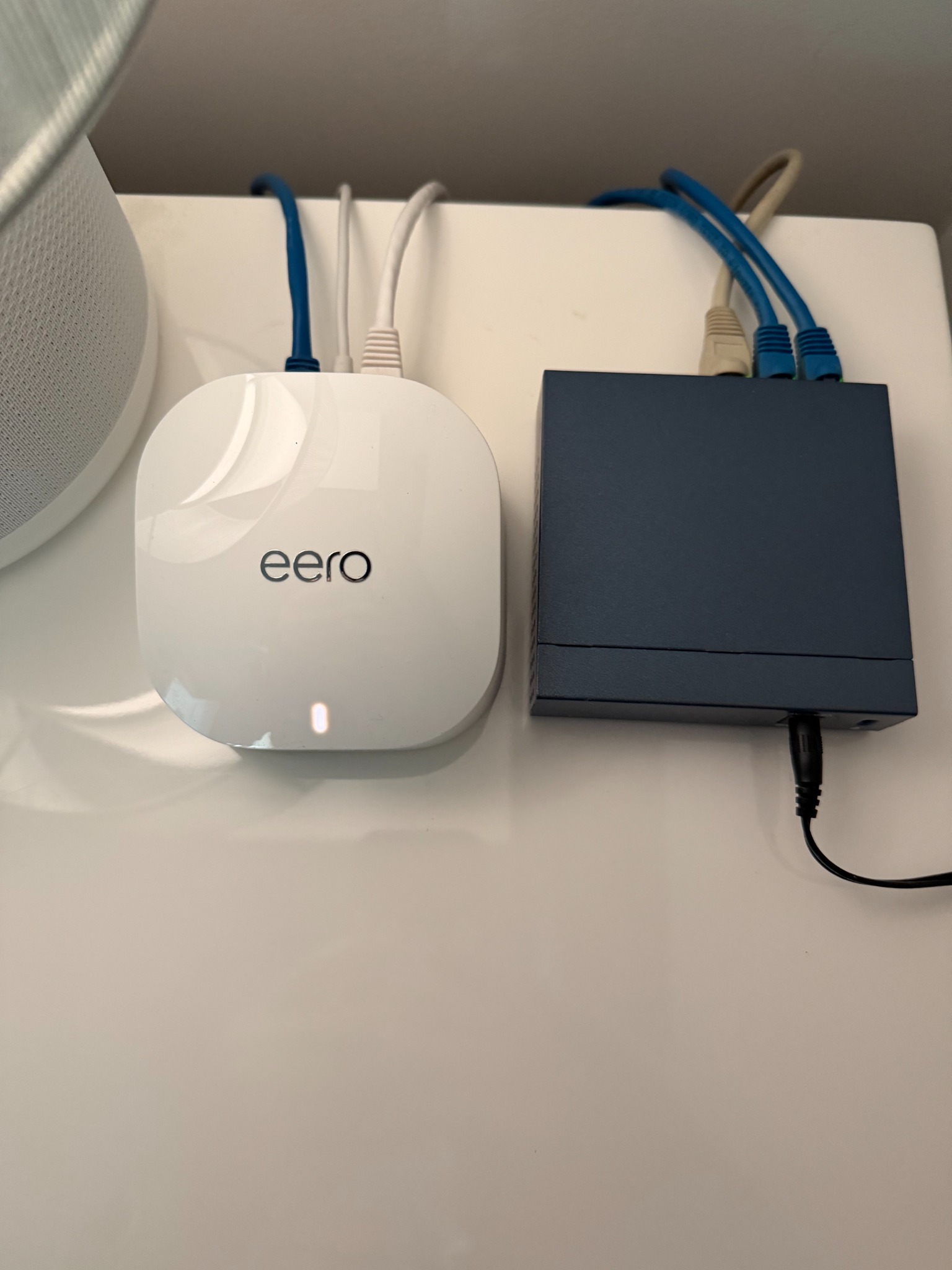
From our perspective, though, it’s simply one network.
And that’s exactly what I wanted.
Five years later
I’m still using the same eero 6 equipment I installed five years ago.
I haven’t upgraded it. I haven’t replaced it. And I haven’t felt any particular need to.
I’ve occasionally restarted the network or rebooted the eeros—perhaps a few times a year—but otherwise they’ve been remarkably reliable. We have excellent connectivity throughout the house and in the separate casita.
At one point, we needed Frontier to troubleshoot an Internet-service issue at the house. The technician was so impressed with the network setup that he called his supervisor to explain it.
I took that as a compliment.
I’ve installed eero for other people, too
My experience isn’t limited to our house.
I’ve also recommended and installed eero systems for clients, including homes that aren’t wired for Ethernet.
In those situations, the primary eero connects to the Internet equipment, and the other eero units communicate wirelessly to create a mesh network throughout the house.
The client experience has generally mirrored mine: strong coverage, easy management, and very few problems.
That’s one reason I’m comfortable recommending eero after all these years.
What I like—and what I don’t
One of my favorite things about eero is how easy it is to set up and manage.
The app shows what’s connected to the network as well as devices that have connected previously. I can rename devices so they’re easy to recognize, and I receive a notification when a new device connects.
For something as potentially complicated as a home network, eero makes management remarkably simple.
There are a couple of things I don’t like.
I wish I could manage the system through a web browser instead of relying on the app, and I’d really like the ability to generate or print a complete list of the devices on my network.
Neither issue has been significant enough to make me consider replacing the system.
Would I buy eero again?
Absolutely.
After five years, that’s probably the most meaningful recommendation I can give it.
The eero 6 models I installed aren’t the latest generation anymore. If I were starting over today, I’d look at eero’s current models rather than trying to duplicate my five-year-old installation exactly.
For most homes, I’d start by looking at the current eero 7. Someone with a particularly demanding network—or a larger installation that will rely heavily on wireless connections between eero units rather than Ethernet—might benefit from stepping up to eero Pro 7.
I wouldn’t automatically buy the most expensive model. One lesson from my own installation is that a properly designed network doesn’t necessarily need constant upgrades.
Mine has been running for five years.
And until it gives me a reason to replace it, I’m leaving it alone.
Current eero systems worth considering
The following are Amazon affiliate links. I may earn a commission from qualifying purchases.
eero 7 — a good starting point for most homes
eero Pro 7 — for more demanding networks
Choosing three or four units depends on the size and layout of your home, the construction materials, and whether you can connect the eeros through Ethernet. More units aren’t automatically better.
I haven’t personally tested these newer models. My recommendation is based on five years of experience with eero 6 systems, installations for other clients, and the capabilities of the current product lineup.
As an Amazon Associate I earn from qualifying purchases.
Leave a Reply
You must be logged in to post a comment.